VLC Media Player: Open-Source Playback for Video, Audio and Streaming
VLC is a free and open-source cross-platform media player that handles local media, optical discs, network streams, subtitles, hardware-accelerated playback, and a wide range of audio and video formats.
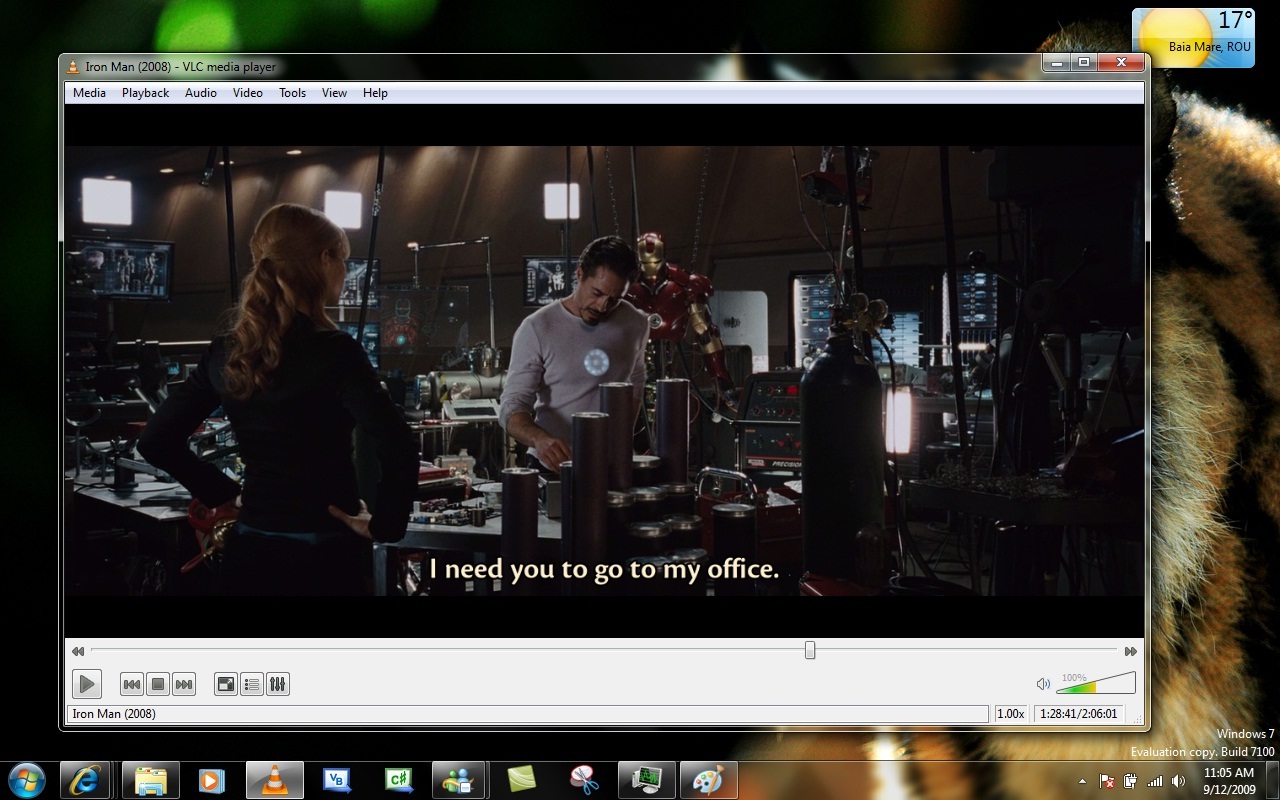
VLC Media Player is a free and open-source cross-platform media player developed by the VideoLAN project. It plays local audio and video files, optical media, network streams, and content delivered through a range of protocols.
The main reason to keep VLC around is simple: it does not require a separate player for every format or a collection of proprietary codecs tied to a particular operating system. Its support for hardware decoding, subtitles, network sources, and streaming also makes it useful beyond ordinary desktop playback.
WHY IT MATTERS
VLC is part of the VideoLAN project and is distributed as free and open-source software. The source code is publicly available, so the player and its supporting components can be inspected and developed independently of a proprietary vendor.
The 3.0.x branch has continued to receive maintenance updates. VLC 3.0.21, released in June 2024, updated several multimedia libraries, improved playback and subtitle rendering, added AMD Super Resolution and VQ Enhancement filtering, and added NVIDIA TrueHDR support for generating an HDR representation from SDR sources. It also added HTTP content-range handling according to RFC 9110 and fixed a security issue.
For users, the practical result is less dependence on the exact format or delivery method of the media. For developers and administrators, the open-source codebase provides a publicly inspectable implementation rather than a closed playback stack.
KEY FEATURES
- Wide media support: VLC plays a broad range of multimedia files as well as DVDs, Audio CDs, VCDs, and network streams.
- Hardware decoding: VLC supports hardware-accelerated decoding and display on supported platforms, reducing the amount of work performed by the CPU during playback.
- HDR and high-resolution playback: The 3.0 branch supports HDR, 10-bit media, and hardware-assisted playback for high-resolution content.
- Network playback: VLC can access network shares and remote filesystems including SMB, FTP, SFTP, and NFS.
- Streaming support: VLC can receive and send multimedia streams and supports protocols such as HTTP, HLS, DASH, and SRT.
- Subtitle support: Subtitle rendering includes support for multiple formats and features such as subtitle size adjustment during playback.
- 360-degree video and spatial audio: VLC supports 360-degree video navigation and 3D audio, including Ambisonics playback.
SYSTEM REQUIREMENTS
VideoLAN provides platform-specific builds of VLC for desktop and mobile operating systems.
The official VLC release documentation lists support for Windows, macOS, iOS, Android, Android TV, GNU/Linux, and BSD systems. Exact requirements vary by platform and build.
The project does not present one universal CPU or RAM requirement for all VLC installations, so hardware requirements should be considered together with the media being decoded and the platform being used.
REAL-WORLD USAGE
VLC fits well on a normal desktop where media comes from several different sources.
A typical setup might include local video files, music stored on a NAS, occasional DVD playback, and network streams. VLC can browse supported network shares directly instead of requiring the files to be copied to the local machine first.
It is also useful when hardware acceleration matters. VLC 3.0 introduced hardware decoding as a standard part of its playback stack, including support for high-resolution video and HDR.
For more technical environments, the project also provides libVLC, allowing applications to use VLC’s multimedia capabilities programmatically.
DOWNLOAD & INSTALLATION
Download VLC from the official VideoLAN website. Choose the build corresponding to the operating system you are using.
- Open the official VLC download page.
- Select the appropriate platform.
- Install the package using the normal installation procedure for that platform.
- Launch VLC and open a local media file, disc, network source, or supported stream.
For source-based development, VideoLAN also publishes the VLC source tree and release archives.
OPEN SOURCE ALTERNATIVES
- MPV: A minimalist open-source media player aimed at users who prefer a simpler interface and command-line-oriented workflow. It is particularly attractive for keyboard-driven setups and scripting.
- SMPlayer: A graphical media player built around MPV. It provides a more traditional desktop interface while retaining MPV as its playback engine.
- Celluloid: A GTK-based frontend for MPV designed for Linux desktops. It is a good fit when a simple graphical player is preferred over VLC’s broader interface.
VLC remains the more general-purpose choice when network playback, optical media, streaming protocols, subtitles, and a large range of multimedia features are expected from one application.
WHO SHOULD USE IT?
VLC is a good fit for:
- Desktop users who regularly encounter different audio and video formats.
- Users who need playback from local storage, optical media, or network sources.
- People who want a free and open-source media player.
- Users working with subtitles, HDR content, high-resolution video, or network streams.
- Administrators and developers who need a mature open-source multimedia stack.
It is less compelling if the only requirement is an extremely minimal player with a deliberately small graphical interface.
LIMITATIONS
VLC’s broad feature set also means that its interface exposes more controls than a basic media player. Users looking only for simple file playback may find parts of the interface unnecessary.
Network playback depends on the particular protocol, server, media format, and local network environment. Hardware acceleration also depends on the platform and available hardware.
VLC is primarily a media player rather than a dedicated media library manager. Users looking for extensive catalog management, automatic media organization, or a full home-media-server workflow may need additional software.
FINAL ASSESSMENT
VLC remains a practical general-purpose FOSS media player because it combines local playback, network sources, streaming, subtitles, hardware acceleration, optical media support, and a large multimedia stack in one application.
Its strongest point is breadth. You can use the same player for a local video file, a network share, a DVD, or a network stream without building a separate playback stack for each case.
The trade-off is a larger interface and feature set than a minimalist player. For users who want one open-source application that handles a wide range of multimedia sources, that trade-off is reasonable.
LICENSE
VLC is free and open-source software. The VLC source tree is publicly available through the VideoLAN project.
EXTERNAL LINKS
Downloads: VLC Downloads | Source Code
Docs & Support: VideoLAN | VLC Release Information